





Introduction
Have you ever opened your website and felt frustrated by how painfully slow it loads?
Maybe your visitors have complained. Maybe your rankings dropped. Or maybe your current hosting provider keeps failing you with downtime, poor support, and hidden fees.
If that sounds familiar, you’re not alone.
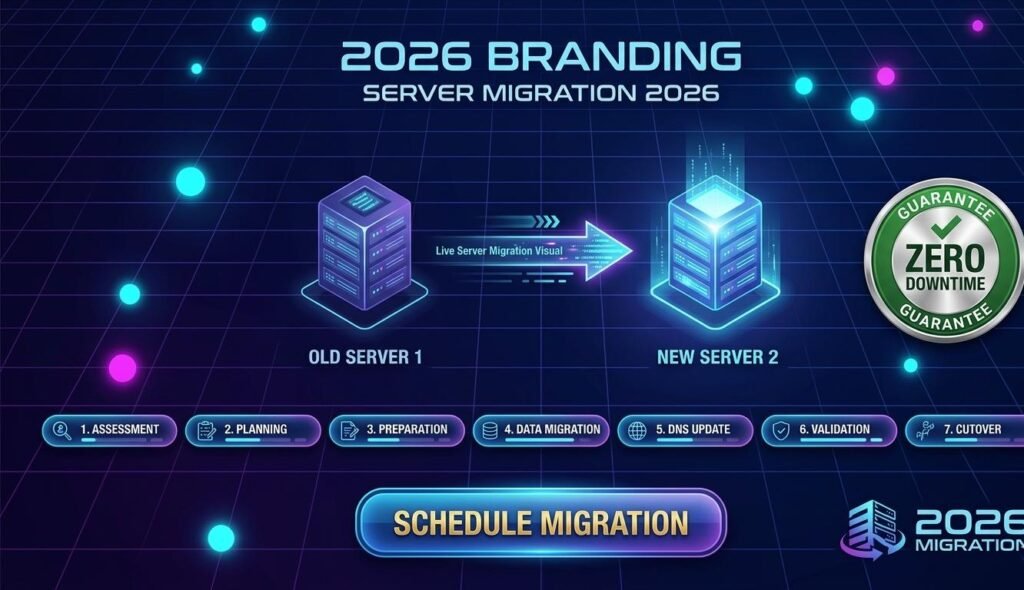
Learning how to move to a better host can feel overwhelming at first. The fear of losing files, breaking your website, or damaging your SEO is real. But the truth is, migrating to a better hosting provider can be one of the smartest decisions for your business.
A faster, more secure website improves user experience, boosts search rankings, and protects your brand reputation.
The good news? You can do it safely—and without stress.
This guide will walk you through exactly how to switch hosting providers the right way.
Why Moving to a Better Host Matters
Your hosting provider affects far more than just where your website “lives.”
It directly impacts:
- Website speed
- SEO performance
- Security
- Uptime reliability
- User experience
- Conversion rates
- Customer trust
If your site is slow, unstable, or constantly under attack, your host may be the problem.
Signs You Need a Better Hosting Provider
1. Your Website Loads Too Slowly
Google prioritizes fast websites.
If your pages take more than 3 seconds to load, visitors may leave before they even see your content.
2. Frequent Downtime
Every minute your site is offline means lost traffic, lost sales, and lost trust.
3. Poor Customer Support
When your website breaks, fast support matters.
Waiting 24 hours for help is unacceptable.
4. Security Problems
Weak hosting security can expose your site to malware, hacks, and data loss.
5. Hidden Fees and Expensive Renewals
Many hosts attract users with cheap first-year pricing, then surprise them with massive renewal fees.
How to Move to a Better Host: Step-by-Step Guide
Step 1: Choose the Right New Hosting Provider
Before migrating, make sure your new host is actually better.
What to Look For
Performance Features
Choose hosting with:
- SSD or NVMe storage
- Free CDN
- LiteSpeed or optimized servers
- Server-side caching
- High uptime guarantees (99.9%+)
Security Features
Look for:
- Free SSL certificate
- Daily backups
- Malware scanning
- Firewall protection
- DDoS protection
Support Quality
Prioritize:
- 24/7 live chat
- Fast ticket response
- Migration assistance
- Strong reputation and reviews
Step 2: Back Up Your Entire Website
Never migrate without a full backup.
This includes:
- Website files
- Database
- Emails (if hosted there)
- DNS settings
- SSL certificates
- Custom configurations
Backup Checklist
| Item | Why It Matters |
|---|---|
| Website Files | Core site structure |
| Database | Posts, pages, settings |
| Emails | Prevent message loss |
| DNS Records | Domain connection |
| SSL Settings | Security continuity |
A complete backup protects you from migration mistakes.
Step 3: Set Up Your New Hosting Account
Once you’ve chosen your provider:
- Purchase the hosting plan
- Add your domain
- Install your CMS (like WordPress)
- Create database access
- Configure email accounts if needed
Many premium hosts offer free migration services, which can save time and reduce risk.
Step 4: Transfer Website Files and Database
Now it’s time for the actual move.
Manual Migration Method
You can transfer files using:
- FTP/SFTP
- cPanel File Manager
- Migration plugins
- SSH access
For databases:
- Export from phpMyAdmin
- Import into the new server database
WordPress Migration Plugins
Popular tools include:
- All-in-One WP Migration
- Duplicator
- UpdraftPlus
- WP Migrate
These tools simplify the process significantly.
Step 5: Test Your Website Before Going Live
This is the step many people skip—and regret.
Before changing DNS:
- Check page layouts
- Test forms
- Verify plugins
- Confirm SSL works
- Test mobile responsiveness
- Review checkout pages
- Confirm email delivery
Make sure everything works perfectly before visitors see the new version.
Step 6: Update DNS Settings
This connects your domain to your new hosting provider.
What Happens During DNS Changes?
DNS propagation can take:
- A few minutes
- Up to 48 hours
During this period, some users may see the old site while others see the new one.
That’s normal.
Important Tip
Avoid making major content updates during DNS propagation.
This prevents data conflicts.
Step 7: Monitor Performance After Migration
Migration doesn’t end after launch.
Track your website for:
- Speed improvements
- Uptime stability
- Broken links
- Missing images
- SEO ranking changes
- Security alerts
Useful Monitoring Tools
Use tools like:
- Google Search Console
- Google Analytics
- GTmetrix
- PageSpeed Insights
- UptimeRobot
This ensures your new hosting setup performs better than the old one.
Common Mistakes to Avoid When Moving to a Better Host
Don’t Cancel Your Old Host Too Early
Keep your old hosting active for at least 7–14 days after migration.
This creates a safety net.
Don’t Ignore Email Migration
Many users forget business emails.
This can cause serious communication issues.
Don’t Skip Backups
Even if your host promises migration support—always keep your own backup.
Don’t Choose Based Only on Price
Cheap hosting often becomes expensive through poor performance.
Value matters more than low pricing.
SEO Benefits of Moving to a Better Host
A better host can improve:
Core Web Vitals
Faster loading improves:
- Largest Contentful Paint (LCP)
- First Input Delay (FID)
- Cumulative Layout Shift (CLS)
Crawl Efficiency
Google crawls fast, stable websites more effectively.
Lower Bounce Rates
Visitors stay longer on fast websites.
Higher Conversion Rates
Speed builds trust and increases sales.
Better hosting is not just technical—it’s an SEO investment.
Final Thoughts
Learning how to move to a better host may seem intimidating, but it can transform your website’s performance, security, and search visibility.
A slow website costs money.
A reliable hosting provider creates growth.
The best part? Once the migration is done properly, the benefits keep paying off for years.
Don’t wait until your website crashes during your busiest season.
Make the move now.
Conclusion: Ready to Upgrade Your Website?
If your current hosting provider is holding your website back, now is the perfect time to switch.
A faster host means:
- Better SEO
- Happier visitors
- Stronger security
- More sales
- Less stress
Take action today and give your website the home it deserves.
Have you recently moved to a better host? Share your experience in the comments below—and help others make the right choice!
FAQ: How to Move to a Better Host
1. How do I know it’s time to move to a better host?
If your site is slow, frequently offline, insecure, or your support is poor, it’s time to learn how to move to a better host and improve performance.
2. Will moving to a better host hurt my SEO?
No—if done correctly, moving to a better host can actually improve SEO through faster speed, better uptime, and stronger security.
3. How long does it take to move to a better host?
Most migrations take a few hours to 48 hours depending on website size, complexity, and DNS propagation time.
4. Can I move to a better host without downtime?
Yes. Proper planning, testing, and careful DNS updates allow you to move with little to no downtime.
5. Should I use free migration services?
Yes, if your new provider offers trusted migration support, it can save time and reduce technical risks when learning how to move to a better host.
Leave a Reply