





Introduction
Have you ever visited a website and noticed the small padlock icon next to the URL? It may seem like a tiny detail, but that little symbol can make the difference between trust and doubt.
Imagine a visitor landing on your website, ready to buy your product or contact your business—only to leave because their browser warns them your site is “Not Secure.” Frustrating, right?
This is exactly why understanding what is SSL and why you need it is so important. SSL is no longer optional—it’s a necessity for website security, SEO rankings, and customer trust.
Whether you run a personal blog, an eCommerce store, or a business website, SSL helps protect your visitors and your reputation.
Let’s break it down in simple terms.
What Is SSL?
Understanding SSL in Simple Words
SSL (Secure Sockets Layer) is a security technology that creates an encrypted connection between a web server and a browser.
In simple terms, SSL protects the information shared between your website and your visitors.
This includes:
- Login details
- Credit card information
- Contact form submissions
- Personal data
- Email addresses
- Passwords
Without SSL, hackers can intercept this data.
With SSL, the information becomes encrypted and unreadable to attackers.
Today, SSL has technically been replaced by TLS (Transport Layer Security), but most people still use the term SSL.
How SSL Works
When someone visits your website, SSL performs something called an SSL handshake.
This process:
- Verifies the website’s identity
- Creates a secure encrypted connection
- Protects data transferred between both sides
That’s when visitors see:
- HTTPS instead of HTTP
- A secure padlock icon in the browser
This instantly builds trust.
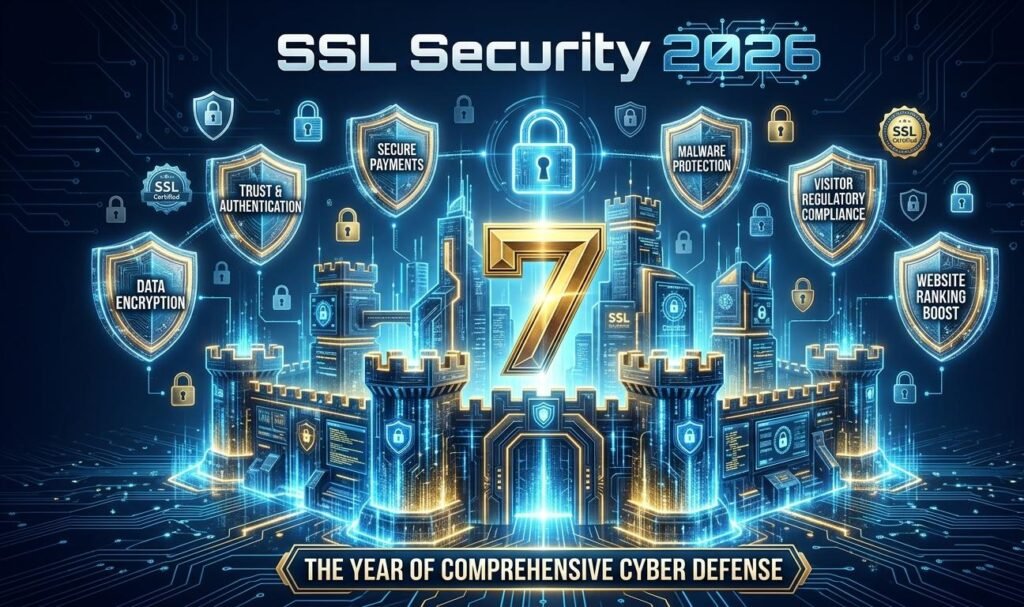
Why You Need SSL: 7 Powerful Reasons
1. SSL Protects Sensitive User Data
This is the biggest reason.
If your website collects any information—even a simple contact form—you need SSL.
Without SSL:
Data travels in plain text and can be stolen.
With SSL:
Data is encrypted and protected.
This is especially critical for:
- Online stores
- Membership websites
- Business websites
- Booking platforms
- Medical websites
- Financial services
2. SSL Builds Instant Trust with Visitors
Trust is everything online.
When users see “Not Secure” in the browser, they often leave immediately.
SSL helps create confidence by showing:
- Secure padlock icon
- HTTPS URL
- Verified identity
Why trust matters:
People buy from websites they trust.
People avoid websites that look risky.
A secure website improves:
- Conversion rates
- Customer confidence
- Brand reputation
3. SSL Improves SEO Rankings
Yes—SSL helps your Google rankings.
Google officially considers HTTPS a ranking factor.
This means secure websites often perform better in search results than unsecured ones.
SEO benefits of SSL:
- Better search visibility
- Higher rankings
- Lower bounce rates
- Improved user experience
If you care about traffic, SSL matters.
4. SSL Is Essential for eCommerce Websites
If you accept payments online, SSL is mandatory.
No exceptions.
Customers need confidence that their:
- Card details
- Billing information
- Personal details
are safe.
In many cases, payment gateways require SSL before they allow transactions.
Without it, you may lose both trust and sales.
5. SSL Helps You Meet Compliance Standards
Many privacy laws and regulations expect websites to protect user data.
Examples include:
- GDPR
- PCI DSS
- Data protection policies
SSL is often a basic requirement for compliance.
Ignoring it can lead to:
- Legal risks
- Financial penalties
- Damaged credibility
6. SSL Prevents Phishing and Cyber Attacks
Cybercrime is growing every year.
SSL helps reduce risks like:
- Data interception
- Man-in-the-middle attacks
- Fake website impersonation
- Login theft
While SSL alone doesn’t stop every threat, it creates a strong first layer of defense.
Think of it as your website’s security foundation.
7. SSL Gives Your Brand a Professional Image
Professional websites look secure.
Visitors notice when a site lacks HTTPS.
It sends the wrong message.
SSL shows that your business:
- Takes security seriously
- Cares about customers
- Follows modern web standards
This matters even for:
- Bloggers
- Portfolio websites
- Freelancers
- Local businesses
Security is part of professionalism.
Types of SSL Certificates
Choosing the Right SSL Certificate
Not all SSL certificates are the same.
Here are the most common types:
| SSL Type | Best For | Validation Level |
|---|---|---|
| Domain Validation (DV) | Blogs, small websites | Basic |
| Organization Validation (OV) | Business websites | Medium |
| Extended Validation (EV) | Large companies, eCommerce | High |
| Wildcard SSL | Multiple subdomains | Flexible |
| Multi-Domain SSL | Several websites | Advanced |
Choosing the right SSL depends on your business goals and security needs.
How to Know If a Website Has SSL
Quick Ways to Check
Look for these signs:
Secure Website Indicators
- HTTPS in the URL
- Padlock icon in the browser
- No browser warning messages
Warning Signs
- HTTP only
- “Not Secure” warning
- Browser security alerts
These are red flags users immediately notice.
How to Install SSL on Your Website
Basic Steps to Get SSL
Most hosting providers make SSL installation simple.
Step-by-Step Process
- Purchase or activate an SSL certificate
- Install it through your hosting control panel
- Force HTTPS across your website
- Update internal links
- Redirect HTTP to HTTPS
- Test your SSL security
Many hosts even offer free SSL certificates through Let’s Encrypt.
That means there’s really no reason to delay.
Key Takeaways
Why SSL Is No Longer Optional
Let’s keep it simple:
SSL helps you:
- Protect customer data
- Improve SEO rankings
- Increase trust
- Prevent security risks
- Meet compliance standards
- Boost conversions
- Strengthen your brand image
In today’s digital world, SSL is not a luxury.
It is a necessity.
Conclusion
Now that you understand what is SSL and why you need it, the next step is simple—make sure your website is secure.
A website without SSL can lose trust, traffic, and sales faster than you think.
The good news?
Setting up SSL is easier and more affordable than ever.
Don’t wait until your visitors see a “Not Secure” warning.
Take action today.
CTA:
Is your website protected with SSL yet? Share your thoughts in the comments below, and don’t forget to share this guide with anyone building a website!
FAQ: What Is SSL and Why You Need It
1. What is SSL and why you need it for a small website?
Even small websites need SSL because they collect visitor data through forms, logins, or email subscriptions. SSL protects that information and improves trust.
2. Does SSL really help SEO rankings?
Yes. Google uses HTTPS as a ranking signal. Websites with SSL often perform better in search results than unsecured HTTP websites.
3. Can I get SSL for free?
Yes. Many hosting providers offer free SSL certificates through services like Let’s Encrypt. This is often enough for blogs and small business websites.
4. Is SSL necessary if I don’t sell products online?
Absolutely. Even if you only collect contact form submissions, SSL helps protect user information and improves your website’s credibility.
5. What happens if my website does not have SSL?
Visitors may see a “Not Secure” warning in their browser. This can reduce trust, hurt conversions, and negatively affect your SEO performance.
Leave a Reply